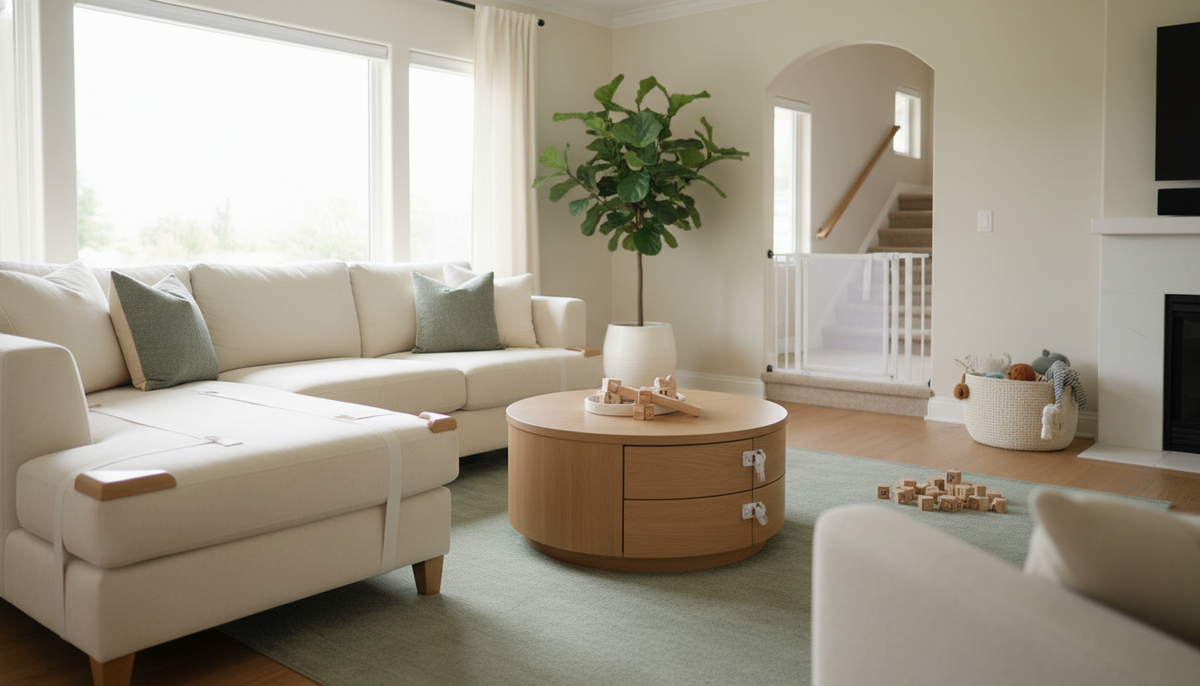


The living room looks harmless. Soft couch, coffee table, maybe a rug. But the average living room contains more active hazards for a crawling or walking toddler than almost any other room in the house, and most of them are invisible until something goes wrong.
I learned this the hard way when my older daughter, at 26 months, defeated the adhesive cabinet lock I’d been so proud of installing. But the moment that really reset my thinking was earlier, when she was around 18 months. I turned to answer the doorbell, and in the 90 seconds I was gone, she had pulled herself up on our entertainment center and was reaching for the cable box on the second shelf. The unit wasn’t anchored. I still think about that.
This guide focuses on two of the most underestimated hazard zones in the living room: cords and cables, and the entertainment center itself. Both are fixable. Neither requires a contractor.
Why the Entertainment Center Deserves Your Full Attention First
Start here, not with outlet covers. CPSC reports one child death every two weeks from furniture, TV, or appliance tip-overs. That number doesn’t come from freak accidents. It comes from toddlers doing exactly what toddlers do: pulling up on furniture, climbing shelves, reaching for things that look interesting.
A flat-screen TV looks stable sitting on a low console. It isn’t. The base is narrow relative to the screen’s height and weight, and a 30-pound toddler grabbing the bottom edge creates enough forward torque to bring the whole thing down. The TV lands on the child. The console may follow.
The fix is a furniture anchor strap, and it needs to go into a wall stud. Drywall anchors are not sufficient for this application. Use a stud finder, locate two studs behind the unit, and attach the strap to both the furniture and the wall at those points. Most anchor kits include two straps. Use both.
For the TV itself, use a separate anti-tip strap that runs from the TV’s VESA mount points to the wall. If your TV doesn’t have VESA mount points, a strap around the stand base and secured to the wall or to the console (which is itself anchored) works as an alternative.
Check the strap tension after installation. It should have very little slack. A strap with six inches of play won’t stop a tip-over, it will just slow it down.
Cords: The Hazard You’re Probably Stepping Over Right Now
Behind or around most entertainment centers, there’s a nest of cords. Power cables, HDMI cables, streaming device cables, speaker wire, gaming controllers. Each one is a hazard in a different way.
Loose cords on the floor are a tripping hazard for adults and children alike. For infants, cords pose both tripping and strangulation risks. The strangulation risk is highest with longer cords that can loop, and with cords at or near floor level where a baby can roll into them.
Cord management has three goals: contain, shorten, and conceal.
Containment means routing cords through a cable management channel or raceway mounted along the baseboard or the back of the furniture. These are inexpensive plastic channels that snap open, accept the cords, and snap shut. They eliminate the loose-cord-on-floor problem entirely.
Shortening means using the right-length cord for each connection, or using a cable shortener/winder to take up excess length. A six-foot power cable running to a device two feet away creates excess slack that will end up on the floor. A cord winder keeps that slack coiled and contained.
Concealment means keeping cords out of reach and out of sight. If a toddler can’t see a cord, they’re far less likely to grab it. Furniture placement matters here: pushing the entertainment center close enough to the wall that cords run directly behind it, rather than out to the side, removes them from the play zone.

- Unsecured TV and console tip-over risk
- Loose cords and power strip on floor
- Coffee table sharp corners and edges
- Blind cord hanging below 60 inches
- Low shelf with climbable and breakable items
Power Strips and Surge Protectors
The power strip behind your entertainment center is often overlooked in babyproofing guides, despite being a significant hazard.
A standard power strip at floor level, with multiple cords plugged in and a visible power button, attracts toddler attention. In my experience, a power strip at floor level is quickly discovered and investigated.
The solution has two parts. First, mount the power strip off the floor. Many strips have keyhole slots on the back for wall mounting. A strip mounted 12 inches up the back of the entertainment center, behind the unit, is essentially inaccessible to a toddler. Second, use a power strip cover. These are plastic enclosures that snap around the strip and block access to the outlets and the cords. They’re not elegant, but they work.
For any outlets not in use on the strip or on the wall, use outlet covers. Sliding plate covers are more effective than plug-in caps, which children can remove. Sliding plates require a two-step motion to open and are built into a replacement outlet cover that installs in minutes with a screwdriver.


Blind Cords and Window Treatments Near Seating Areas
If your living room has windows near the couch or entertainment area, check the window coverings. Corded blinds and corded shades have been linked to child strangulation deaths for decades. The cords form loops when they hang freely, and a child can become entangled in seconds.
The safest option is cordless blinds or shades, which are now the default in most retail stores and are priced comparably to corded versions. If you have existing corded blinds, cord wind-ups and cord cleats can reduce the accessible cord length, but they are less reliable than cordless replacements.
Keep cords wrapped and secured above 60 inches from the floor at minimum. A cord that hangs to 30 inches is accessible to a standing toddler and dangerous.


The Coffee Table and Hearth: Sharp Edges in the Fall Zone
The entertainment center and cords are the priority, but the coffee table and any fireplace hearth deserve attention in the same session.
Corner guards for coffee tables come in two styles: foam wrap that covers the entire edge, and individual corner caps. The foam wrap is more complete but more visible. Corner caps are less obtrusive but leave the long edges exposed. For a glass-top table, the calculus changes: the edge risk is real, but the bigger concern is the glass itself. A tempered glass top that shatters creates a field of safety hazard. For families with active toddlers, removing the glass-top table entirely and replacing it with a soft ottoman or upholstered table during the high-mobility years is worth considering.
Fireplace hearths are a fall hazard because the raised edge is exactly at head height for a cruising baby. Hearth padding kits, which are foam bumper sets that attach to the hearth edge and corners, address this directly. They’re not permanent and can be removed when children are older.
Shelving, Bookshelves, and Anything Climbable
Low shelves in a living room, whether built-in or freestanding, will be climbed. This is not a question of temperament. It’s developmental. Children climb things. The question is whether the thing they’re climbing is anchored.
Any freestanding bookshelf or shelving unit in the living room needs a wall anchor, using the same stud-based approach as the entertainment center. This includes decorative ladder shelves, cube shelves, and media towers. If it’s taller than it is wide and it’s freestanding, it can tip.
Remove objects from lower shelves that are heavy, breakable, or have small parts. Decorative items with button batteries are a specific concern. According to the AAP, an ingested button battery can cause severe internal burns in as little as two hours. Remote controls, decorative items with battery compartments, and small electronics should be stored above toddler reach or in a locked cabinet.
Living Room Safety Walk-Through
A Room Walk-Through Checklist
Before you call the living room done, walk through it at toddler height. Literally get on your knees and look at the room from 24–30 inches off the floor. You will see things you missed standing up.
The walk-through takes five minutes. Do it once after your initial babyproofing session, and again whenever you rearrange furniture or add new equipment to the room.
After You’ve Done the Work
Babyproofing a living room is a one-afternoon project for most families. The anchor straps, cord management, and outlet covers together cost less than $75 in most cases, and the installation time for the full room is under two hours if you have a stud finder and a basic drill.
This addresses the highest-consequence hazards, the ones that can kill or cause serious injury in seconds. The entertainment center won’t fall. The cords won’t loop. The outlets are covered. That’s the baseline, and it’s achievable this weekend.