
The TV in my living room is 55 inches and weighs just under 50 pounds. My older daughter was 18 months old when she first grabbed the entertainment center shelf and pulled herself up against it. I watched the whole thing happen in slow motion from across the room. Nothing tipped that day. But I stopped pretending I had more time to deal with it.
If you’re reading this before something goes wrong, good. You still have time.
Why This Is the One You Can’t Skip
TVs are involved in 47% of tip-over fatalities, with dressers second at 36% (CPSC 2023 Annual Tip-Over Report). A child dies every two weeks from furniture, TV, or appliance tip-overs (CPSC). Those numbers are not abstractions. They represent kids who were climbing, pulling, or just standing nearby when something came down.
The physics are not in your favor. A flat-screen TV sitting on a dresser or an entertainment center has a high center of gravity and almost no base resistance. A toddler pulling on a cable or grabbing the bottom edge of the screen can generate enough force to tip it. The TV doesn’t fall slowly. It falls fast, and it falls forward, directly toward the child who caused the movement.
An average of 17,800 ED visits per year are logged for furniture and TV tip-overs (CPSC 2023 report). Many of those injuries are serious. Some are fatal. And most happen in the room where the family spends the most time.
Wall Mounting: The Safest Option by a Wide Margin
If you can wall-mount your TV, do it. This is the one intervention that removes the tip-over risk entirely. A properly mounted TV cannot fall on a child. It is physically constrained to the wall.
The key word is "properly." A mount that’s anchored only into drywall, with no stud contact, is not a safe mount. It may hold the TV for months or years and then fail under a sudden load, like a child grabbing the screen or a cable being yanked. Every mount screw needs to go into a stud, or into a wall anchor rated for the combined weight of the mount and TV with a load margin of at least several times the TV’s weight.
Here’s what I check on every mount I install: the VESA pattern (the bolt spacing on the back of the TV), the weight rating of the mount, and the stud spacing in the wall. Most residential walls have studs 16 inches apart. Most mounts span two studs. If your TV’s VESA pattern is narrow and your studs don’t line up, you need a mount with a wider horizontal bar, or you need to add a plywood backer panel behind the drywall. I’ve done both. The plywood method takes an extra 45 minutes and gives you a lot more flexibility with placement.
What to buy: Look for a mount rated for at least 1.5 times your TV’s weight. Tilting mounts are worth the extra cost over flat mounts because they let you angle the screen down slightly, which reduces glare and keeps the picture readable from a seated position on the floor. Full-motion articulating mounts are fine, but they add complexity and more potential failure points. For a kid’s room or a main living area, a low-profile tilt mount is the right call.
Cable management matters here. Loose cables hanging from a wall-mounted TV are a climbing hazard and a strangulation risk for young children. Route cables through an in-wall cable management kit, or bundle them tightly in a cable raceway that sits flush against the wall. Never let a cable loop hang below the TV at child height.
Furniture Anchoring: When Wall Mounting Isn’t Possible
Some setups don’t allow wall mounting. Renters, concrete walls, or a TV over a fireplace on a mantel that can’t be drilled. In those cases, furniture anchoring is your next line of defense.
Furniture anti-tip straps connect the back of the TV stand, dresser, or entertainment unit to a wall stud. They don’t prevent the TV from tipping off the furniture, so you still need to address the TV itself separately. But they keep the furniture from coming down on top of a child, which matters when the furniture is heavy.
For the TV itself, use an anti-tip strap designed specifically for televisions. These typically attach to the back of the TV at the VESA mount points and anchor to the wall or to the furniture behind it. The strap gives the TV a short leash. It can tilt forward a few inches before the strap catches it. That few inches is not ideal, but it is far better than an unconstrained fall.
When I tested several of these straps, I found the biggest failure point is installation depth. Most straps come with short screws. Short screws into drywall alone will pull out under load. Replace the included screws with longer ones that reach the stud, or use toggle anchors rated for the weight. Check the anchor rating on the package. If it doesn’t list a weight rating, don’t use it for this application.
The furniture itself also needs to be anchored. Even if the TV is strapped, a heavy dresser falling forward adds crushing weight. Use two anti-tip straps per piece of furniture, one on each side, anchored into separate studs if possible.
-
Measure VESA pattern and TV weight
Check the bolt spacing on the back of your TV and note the weight. Write both down before ordering any hardware. -
Find and mark wall studs
Use a stud finder and mark stud locations with painter’s tape. Most walls have studs 16 inches apart. -
Choose wall mount or anti-tip strap
Wall mount if possible. If not, order a TV anti-tip strap rated for your TV’s weight and long screws that reach studs. -
Anchor the furniture unit
Use two anti-tip straps per piece of furniture, one on each side, screwed into separate studs. -
Manage all cables
Bundle cords, route them out of reach, and mount the power strip to the wall or back of the unit.
The Entertainment Center Problem
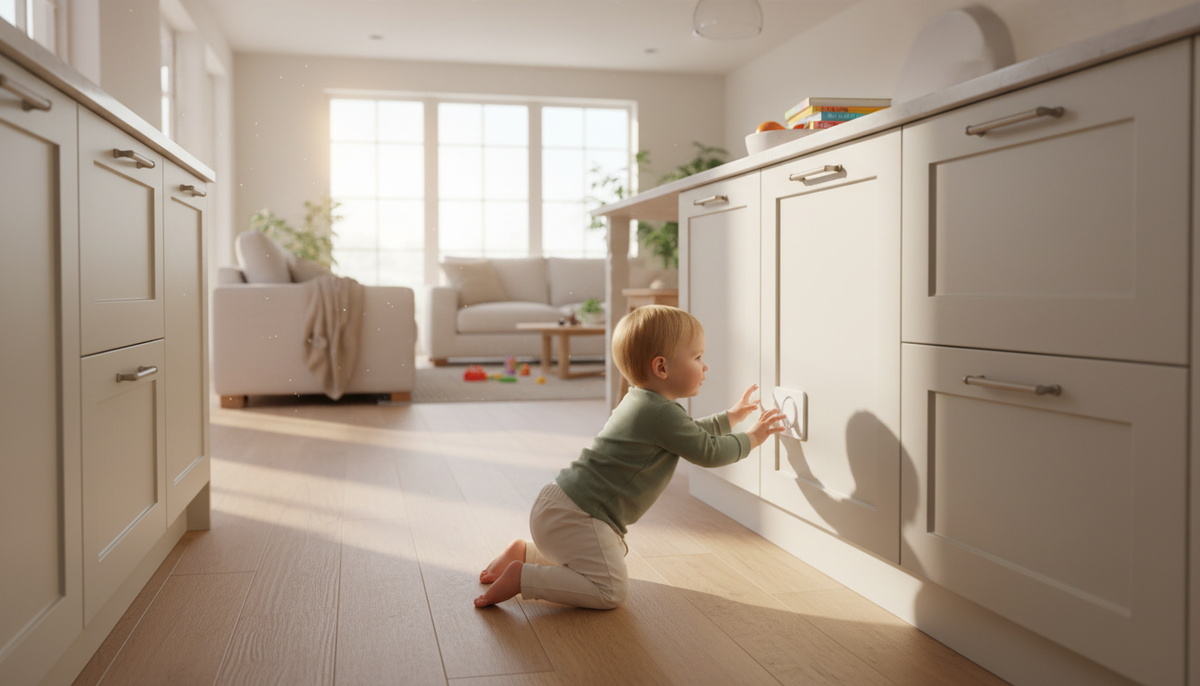
Entertainment centers are a specific challenge because they’re often freestanding, deep, and filled with equipment that adds weight to upper shelves. My younger daughter emptied the under-sink cabinet in the time it took me to answer the doorbell. She was 14 months old. Toddlers move fast, faster than most parents expect until they see it happen. An entertainment center with open shelves, cable boxes, and game controllers is an invitation.
The fix here is layered. Anchor the entertainment center to the wall. Strap the TV. And then deal with the shelves themselves. Cable boxes and game consoles on lower shelves are fine. Anything on upper shelves that a child might reach for should either be removed or secured. If the unit has doors, use magnetic cabinet locks on them. If it’s open shelving, consider whether the unit is the right piece of furniture for this stage of your life.
Cord management on an entertainment center is more complex than on a wall mount because you have multiple devices. Use cable ties to bundle cords along the back of the unit and route them down to a single power strip. The power strip should be mounted to the back of the unit or the wall, not sitting on the floor where it can be pulled. A cord cover along the baseboard handles the last run to the outlet.
What to Do Right Now
You don’t have to do everything today. But do something today.
If your TV is on furniture and not yet secured, the single highest-impact thing you can do in the next 20 minutes is move the TV back as far as possible on the surface it’s sitting on and clear everything from around the base that a child could use as a step. That buys you time while you get the right hardware.
Then work through this in order:
- Measure your TV’s VESA pattern (the bolt spacing on the back) and its weight. Write these down.
- Locate your wall studs with a stud finder. Mark them lightly with painter’s tape.
- Decide: wall mount or strap. If you can wall mount, order the mount and schedule a time to install it. If you can’t, order TV anti-tip straps and furniture anti-tip straps today.
- Check your cable situation. Any loop of cord hanging at child height needs to be bundled, rerouted, or covered.
- Anchor the furniture the TV sits on, even if you’re also strapping the TV. Both.
Installation for a basic wall mount takes about two hours if you’ve never done it. Anti-tip straps take about 20 minutes per piece of furniture. Neither requires specialized tools beyond a drill, a level, and a stud finder.
A Note on Rentals
Renters often skip this step because they don’t want to put holes in walls. Here’s the reality: a small stud hole, properly patched, costs less than $20 in materials and 30 minutes to fix when you move out. The cost of not anchoring is not comparable. Most landlords, if asked, will give written permission for safety anchoring. Ask. If they say no, use furniture straps that attach to the furniture itself rather than the wall, and push the TV as far back on the surface as it will go. It’s not as good. But it’s better than nothing.
The conversation with your landlord is worth having. So is the 20 minutes it takes to install a strap. Both are smaller than they feel right now.